Sea_Conquest
Sea Conquest is a 2D naval RTS game, centered on resource management and unit control. The action happens in an archipelago surrounded by brave seas and powerful pirates who also inhabit the islands. Your objective in this game is to take down all the pirates, conquering their islands and sinking their ships. To accomplish this task you will have to develop a strong economy and build and upgrade great fleet.
Sea Conquest
by DoLime
Game information:
Sea Conquest is a 2D naval RTS game, centered on resource management and unit control. The action happens in an archipelago surrounded by brave seas and powerful pirates who also inhabit the islands. Your objective in this game is to take down all the pirates, conquering their islands and sinking their ships. To accomplish this task you will have to develop a strong economy and build and upgrade great fleet.
To draw a clear path towards the game we would like to do, we will state our game pillars here:
- Resource Management
- Exploration and Discovery
- Feeling powerful.
- Freedom of Strategy.
You can play our game by downloading the latest release of our repository {here} and clicking the executable.
Developing Team

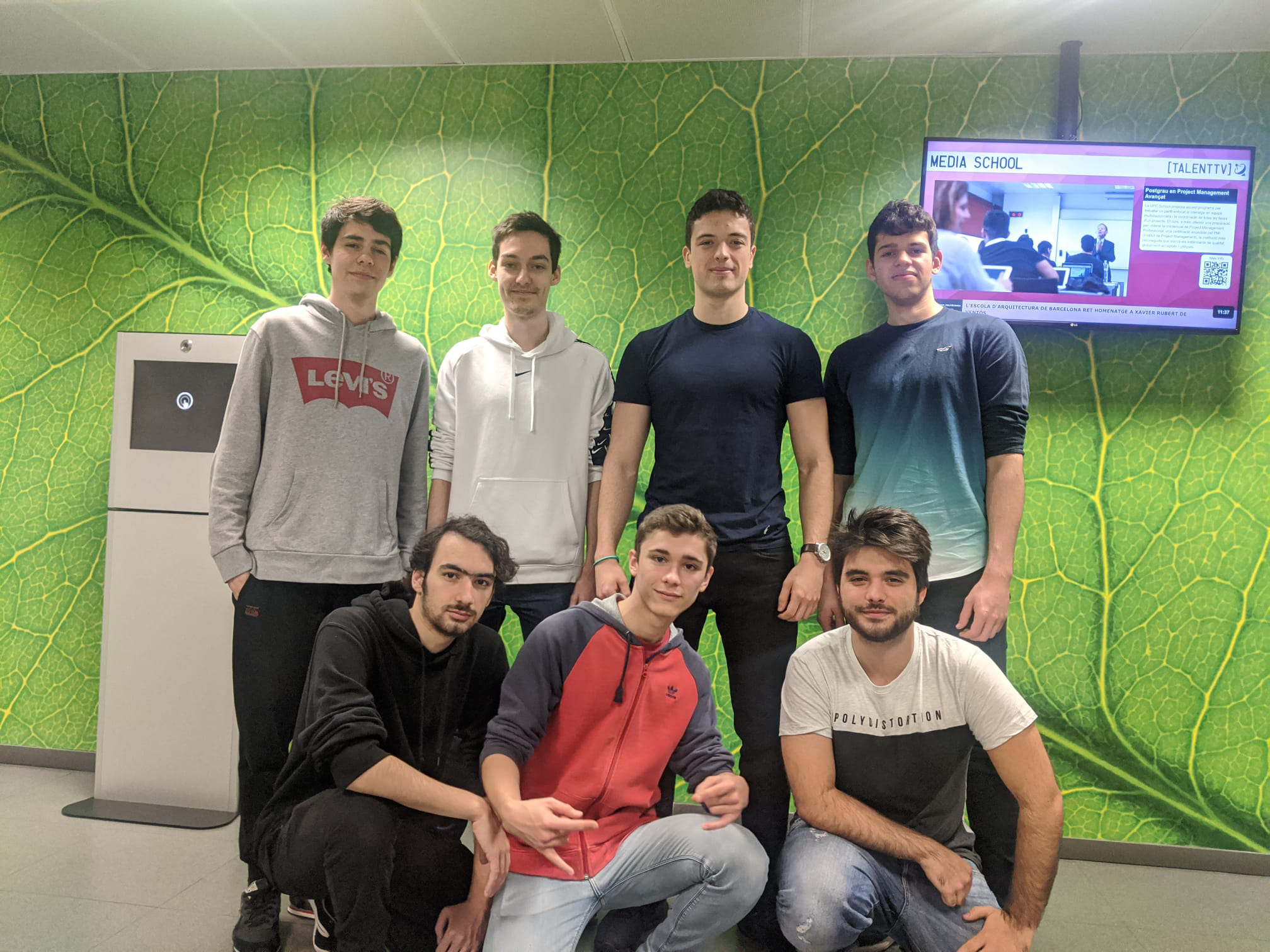
We are an indie game development team formed by 7 students taking the bachelor’s degree in Videogame design and development in the UPC. The game will be developed for the subject Project II.
About the game
Game Trailer
Key Features
- Base Building
- Resource Trading
- Unit attack
- Group Movement
- Particle System
Controls
-
Dialogs: Keys from 5 to 9 trigger a dialog.
-
F10 : Godmode while in Gogmode: - F9 : Show walkability map - F8 : Ignore Fog - F7 : Numerate entities - F6 : Show chasing range
- Q : Spawn carrier - E : Spawn ally Harvester - F : Spawn ally boat - D : Spawn enemy boat - C : Spawn ally boathouse - X : Spawn enemy boathouse - U : Spawn lvl 1 balloon - I : Spawn lvl 2 balloon - R : Spawn cotton resource - T : Spawn wood resource - Y : Spawn metal resource - G : Delete all selected units - H : Delete all units - Mouse :
- Use mouse left click to interact with UI
- Use mouse left click to select units:
- Single click selects the entities closer to the camera
- Dragging selects all entities in the rectangle
- Use mouse right click to schedule paths for the selected units
-
Trading System: - In the game all entities have an internal storage of resources which they use to perform their tasks, entities like the storages are able to share their resources in a given area. - The resources available to the main selected entity appear in the top left corner of the screen. - To trade between entities they have to be both selected. - Both the UI selected unit and the trading entity are highlighted with a purple and cyan rectangle respectively. - The trade button is always available in any entity as long as more than 1 entity is selected. - Clicking the arrows in the sides of the entities UI cycles them through the selected entities and the tradable entities. - Left clicking the middle arrows will transfer 5 of the resource. - Right clicking the middle arrow will transfer all of the resource to the other entity.
-
Entities: apart from trading each entity has different special actions and qualities.
- Boat: Description: Offensive water unit, attacks enemies at sea level and can carry a little bit of resources. Mechanics: Can chase nearby enemies. UI use: No additional buttons.
- Balloon: Description: Very fast offensive air unit, attacks enemies at sea level slow powerfull attacks. Mechanics: Can chase nearby enemies, clears big range of fog. UI use: No additional buttons.
- Harvester: Description: Slow ground unit, gathers resources. Mechanics: Can build structures and has automatic mode. UI use: Button 1: Build BoatHouse. Button 2: Build Storage. Button 3: Build Turret. Button 4 (right-bottom corner of the UI): starts the automatic mode, to use click the button at range of a storage and right click the resource you want to gather, it also works the other way around.
- Carrier: Description: Slow water unit, can transport ground units through water. (THE SPRITE IS A PLACEHOLDER) Mechanics: Can pick up ground units and deploy them afterwards. UI use: Button 1: Pick up the trading unit. Button 2: Deploy one of the stored units.
- BoatHouse: Description: Medium size structure that creates water units. Mechanics: Creates water units, has no resource storage so it needs a storage entity nearby. UI use: Button 1: Build Boat. Button 2: Build Carrier. Button 3: Build Balloon.
- Storage: Description: Stores large amounts of resources. Mechanics: Can share it’s resources with any ally entity in a given radius (represented by a grey line). UI use: Button 1: Build Harvester.
- TownHall: Description: Main structure that you have to protect. Mechanics: Manages quests and unit level. UI use: Button 1: Spend gold points to upgrade your units (lvl 2 -> 20 coins | lvl 3 -> 50 coins). Button 2: Opens quest selection menu. Quest Selection: click the button of the quest you want to do.
- Turret: Description: Defensive structure that attacks enemy units. Mechanics: Shoots air and ground units. UI use: No additional buttons.
- P : Spawn a cloud particle
About us
- {Moliner Préjano, Santiago} - {Lead} - GitHub account
- {Rami Rodríguez, David} - {Programming} - GitHub account
- {Quintana Griera, Miquel} - {Art/Audio} - GitHub account
- {Tarrés Amselem, Oscar} - {Management} - GitHub account
- {Robles Muñoz, Albert} - {QA} - GitHub account
- {Espinosa Castillo, Albert} - {Programming} - GitHub account
- {Gallardo Quesada, Marc} - {Design} - GitHub account
How to Contact us
We have a team twitter account for any doubts you may have.
License
This software is provided ‘as-is’, without any express or implied warranty. In no event will the authors be held liable for any damages arising from the use of this software.
Permission is granted to anyone to use this software for any purpose, including commercial applications, and to alter it and redistribute it freely, subject to the following restrictions:
- The origin of this software must not be misrepresented; you must not claim that you wrote the original software. If you use this software in a product, an acknowledgment in the product documentation would be appreciated but is not required.
- Altered source versions must be plainly marked as such, and must not be misrepresented as being the original software.
- This notice may not be removed or altered from any source distribution.